Disclosure: this page contains our Bitget referral link and code. If you sign up through it we may earn a commission at no extra cost to you. It never changes what we write. How we make money. Not financial advice.
56969Disclosure: we may earn a commission if you sign up through our link. The code links you to a referrer. Bitget’s pages don’t say the code changes fees or the welcome package.
Key takeaways
- Bitget asks for an email or mobile number, a password and a 6-digit code.
- A code links you to a referrer and can qualify you for Bitget’s 15-day Referral Program tasks; Bitget’s pages don’t say it changes fees or the welcome package.
- Sign-up needs no documents, but Bitget’s October 2026 guide says you can’t deposit, trade or withdraw before Level 1 KYC.
- Use bitget.com, the official app or a tool-confirmed domain.
How do you sign up on Bitget step by step?
You sign up on Bitget in seven short steps: open an official Bitget page, choose email or mobile, add an optional referral code, accept the terms, set a password, enter the 6-digit code and secure the account. Each step below follows Bitget’s own guides.
How to sign up on Bitget in 7 steps
- Open an official Bitget page. Use bitget.com, the official app, our Bitget affiliate link (it opens a Bitget sign-up page on bitgetapp.com; you can check that domain in the tool), or a domain Bitget’s Official Verification Tool confirms.
- Choose email or mobile. Enter one valid email address or mobile number (no country code).
- Add a referral code if you want one. The field is optional; type 56969 if it’s empty and you’d like to use our code.
- Accept the terms and set a password. Tick the User Agreement and Privacy Policy box, then choose a password of 8 to 32 characters with a number, an uppercase letter and a special character.
- Enter the 6-digit code. Bitget sends it to your email or phone.
- Turn on 2FA. Open Security in your profile and add Google Authenticator before you deposit anything.
- Complete identity verification. Upload a government ID and finish the face check to reach Level 1 KYC.
In the app, Bitget’s guide has you tap Get Started, then Sign Up. The password and the optional referral code sit on the same screen as your email or number.
Watch: Bitget Sign Up: How to Create an Account Step by Step (2026) Code 56969
What details does Bitget ask for?
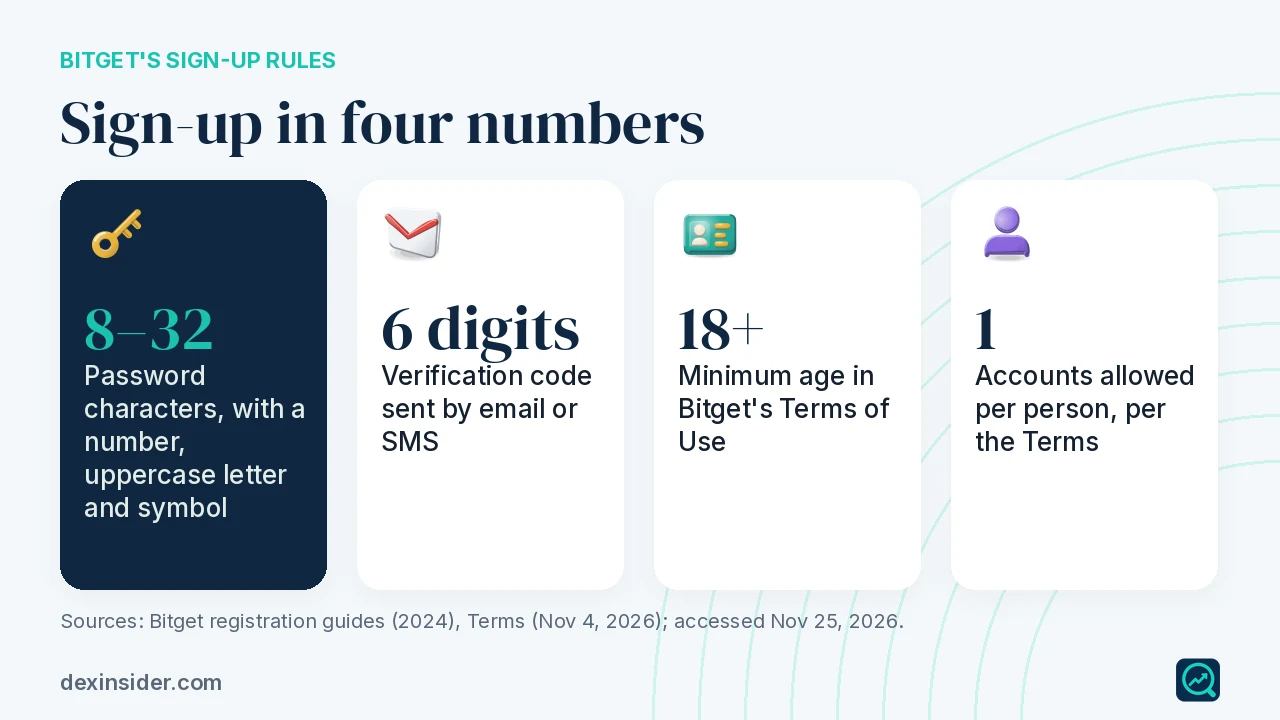
Bitget asks for one email address or mobile number, a password and a 6-digit verification code at sign-up. Its registration guide says you can’t use both email and phone to register, though you can link both later. You can also use Google, Telegram or a wallet.
When I checked Bitget’s sign-up page on November 25, 2026, I found the title “Sign up with Bitget and earn 6,200 USDT rewards”. The page text also shows a “Create account” form, an “Email/Mobile” box, a “Referral code” line and a separate box for receiving promotional messages. The 6,200 USDT is a ceiling; our sign-up bonus guide breaks it down.
The password rule is strict: 8 to 32 characters, with at least one number, one uppercase letter and one special character. For example, a 16-character password made of three random words, one capital letter, a digit and a symbol meets the rule.
Where does the referral code 56969 go?
The referral code 56969 goes in the optional “Referral code” field on Bitget’s sign-up form. It links your new account to a referrer. Bitget’s pages don’t say the code changes fees, and the welcome package shown on the sign-up page is a separate new-user offer.
Bitget’s Referral Program does reward invitees, but on its own conditions. Its January 2025 article sets three tasks within 15 days: register with a code, log in to the app and reach a set spot (buy-and-hold) and futures volume. Invitees then get BGB airdrops (free tokens credited to your account) and Mystery Boxes (reward boxes with random prizes). BGB is Bitget’s own token.
For example, both sides get a $15 BGB airdrop when the invitee’s volume reaches 500 USDT. USDT is a stablecoin designed to track the US dollar. Our referral code guide covers the tiers, and the promo code guide explains why the form has one code field.
Bitget eligibility rules
You can open a Bitget account if you’re 18 or older, hold only one account and don’t live in a prohibited location. Bitget’s Terms of Use, last updated November 4, 2026, say an individual “may not hold more than one Account”. They also forbid getting around restrictions “by use of any virtual private network”.
The Terms list 30 countries and regions, plus “such other locations” Bitget may designate from time to time:
- Americas: the United States and its territories, Canada, Cuba and Haiti.
- Europe: Austria, Belarus, France, Germany and Russia, plus the Crimea, Luhansk, Donetsk, Kherson and Zaporizhzhia regions of Ukraine.
- Asia: Afghanistan, Hong Kong, Japan, Kazakhstan, Malaysia, North Korea, Singapore and Thailand.
- Middle East: Iran, Iraq, Lebanon, the United Arab Emirates and Yemen.
- Africa: Sudan, South Sudan, Libya, Somalia, the Central African Republic, the Democratic Republic of the Congo and Guinea-Bissau.
Bitget’s undated KYC page gives a different list: it adds Italy, Spain and India but leaves out Malaysia and Thailand, so check both pages for your country. Bitget paused new sign-ups in India from February 6, 2026, for users who pick India or use Indian ID. In a May 2024 notice, Bitget said it would temporarily restrict new UK users. Both notices were still on Bitget’s support site on November 25, 2026, with no later update. Bitget’s Regulatory License page separately lists a UK FCA s21 arrangement, so check the app for your status.
Skip Bitget if you live in a listed location or won’t share ID.
What do Bitget’s KYC levels require?
Bitget’s KYC levels start with Level 1, which needs a government-issued ID and a face check. Level 2 adds proof of address, with the same limits, Bitget’s 2023 guide says. KYC is Bitget’s identity check, short for Know Your Customer. Bitget’s Regulatory License page says Bitget “mandates KYC for all users”.
Bitget’s pages differ on timing, so here are both versions with dates. The April 2024 registration guides say no documents are needed to register. But an August 22, 2023 press release said new users must complete Level 1 KYC from September 1, 2023 (that release still let non-KYC users withdraw). Bitget’s undated KYC page, live on November 25, 2026, says new users must verify “immediately upon signing up”. Bitget’s Academy KYC guide, dated October 8, 2026, goes further. It says users without Level 1 “cannot deposit, trade, withdraw (including on-chain withdrawals and internal transfers), or use P2P services”. P2P is trading crypto directly with other users through Bitget. For Level 1, that guide lists an ID card, passport, driver’s license or residence permit, plus a liveness check by camera. Proof of address, issued within the last three months, may be asked for higher limits or risk reviews.
The same guide puts the review at “a few minutes to an hour”. If you fail, you can retry up to 5 times within 24 hours, then you wait 24 hours. For example, a cropped ID photo or glare on the document is a listed reason for rejection.
How do you secure a new Bitget account?
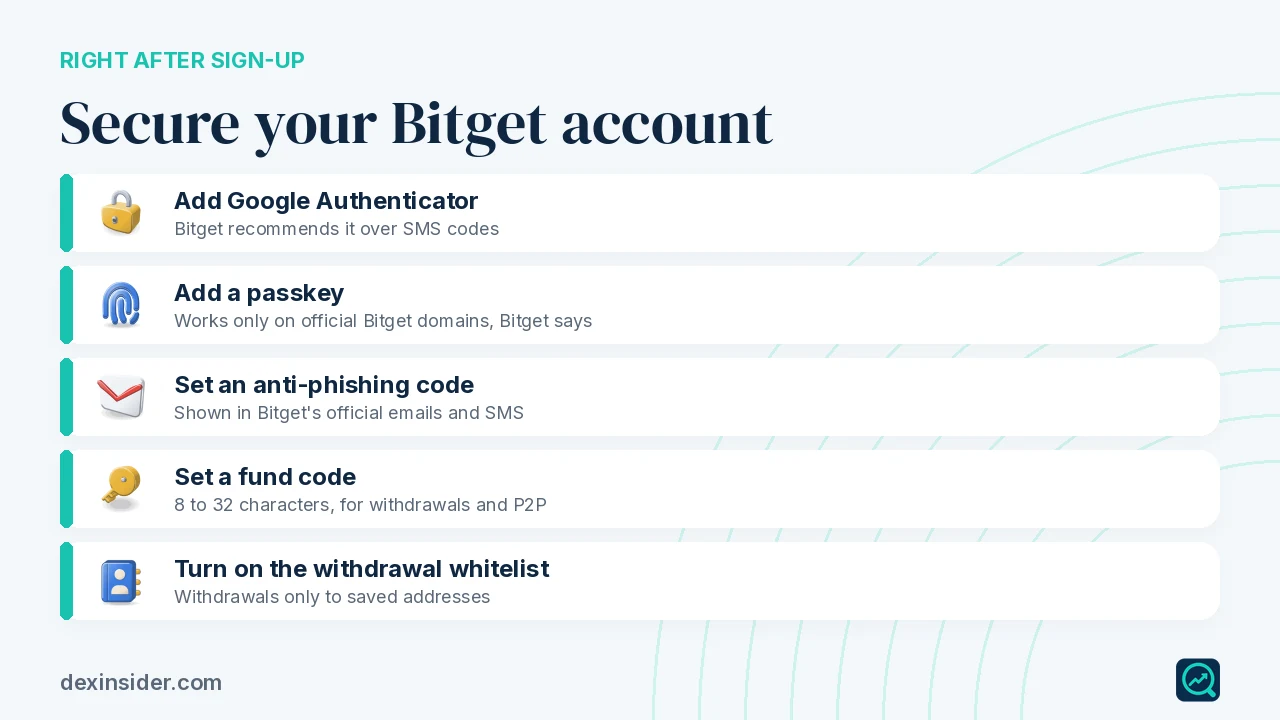
You secure a new Bitget account by adding Google Authenticator first, then a passkey, an anti-phishing code, a fund code and a withdrawal whitelist. Bitget’s account security page says it offers three 2FA options: SMS, Google Authenticator and Passkey. It recommends the last two, because SMS can be exposed to SIM card hijacking.
2FA is two-factor authentication, a second check on top of your password. A passkey is a login method that uses your fingerprint, face or device PIN instead of a password. Bitget says passkeys only work on official Bitget domains, so they won’t activate on a fake site. Its December 2024 security page says to set up Google Authenticator before you add a passkey.
| Feature | What it does | Where Bitget puts it |
|---|---|---|
| Anti-phishing code | A personal code Bitget shows in its official emails and SMS, except SMS verification codes. | Profile, Security, Anti-Phishing Code. |
| Fund code | A separate 8 to 32 character code for withdrawals, P2P and security changes. | Security, Advanced security, Fund Code. |
| Withdrawal whitelist | Limits withdrawals to addresses saved in your address book. | Security Settings, Withdrawal Settings. |
Phishing is a scam that copies a real company’s site or messages to steal your login. A whitelist is a list of approved withdrawal addresses. Bitget’s January 2025 Academy security guide says changing your login password or changing or disabling the fund code pauses payments and withdrawals for 24 hours.
Bitget sign-up problems and fixes
Bitget sign-up problems fall into four groups: a missing verification code, a blocked country, an email that’s already registered and a referral code field you can’t find. Bitget’s pages cover the first two and the password reset; the fix for the fourth is our own advice.
No verification code. Bitget’s registration guides say to check your spam folder, confirm the email or number and retry. For SMS, its January 2025 article says you can tap Resend every 120 seconds, up to 3 times, and each resend may use a different SMS vendor. If that fails, it suggests checking blocking apps and storage, then a webform request.
Country not available. If your country is on the Terms or KYC-page list, Bitget says it doesn’t serve it.
Email already registered. Log in instead, or tap Forgot password on the login page. Bitget says withdrawals and P2P selling pause for 24 hours after a reset. Don’t open a second account; the Terms allow only one per person.
Referral code field missing. Bitget’s app guide puts the optional field on the same screen as your password. If you can’t see it, check that you’re on the sign-up screen, not the login screen, and update the app from Bitget’s download page. We found no Bitget page that lets you add a code after registration.
How do you find the official Bitget website and app?
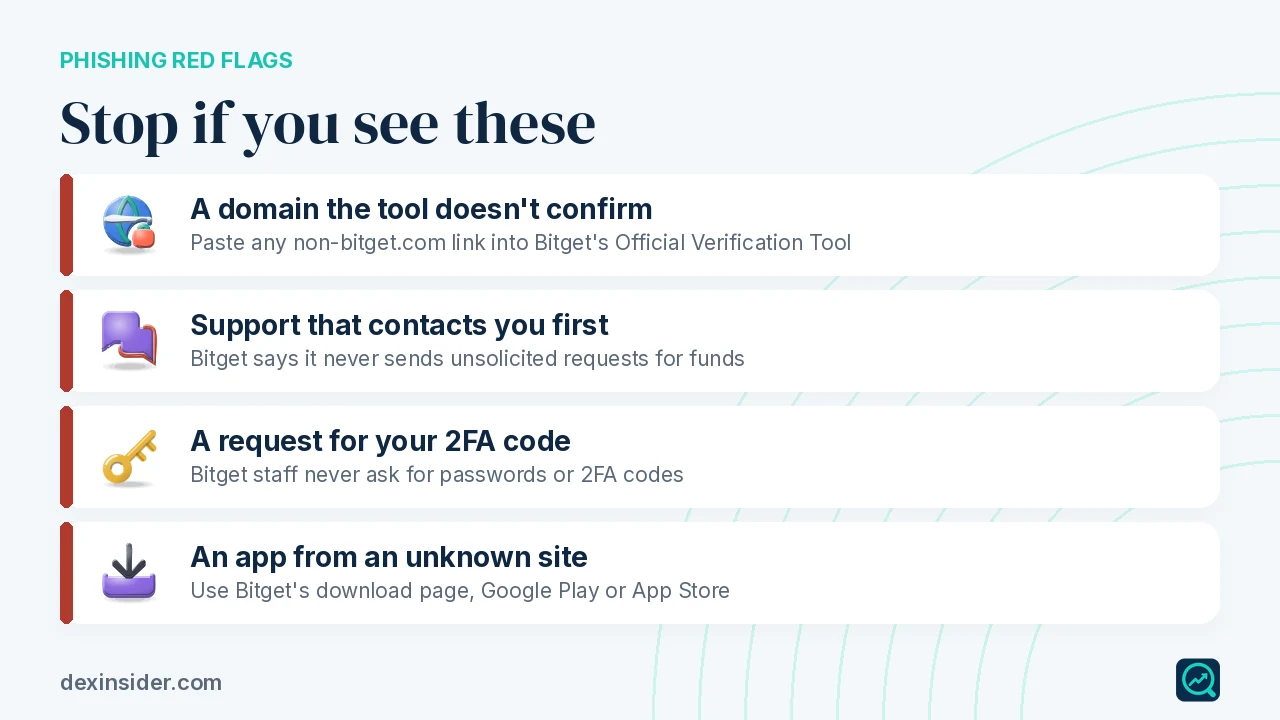
You find the official Bitget website by typing bitget.com yourself, and the official app through Bitget’s download page, Google Play or the Apple App Store. Bitget’s phishing guide names www.bitget.com as its official domain. For any other link, paste it into Bitget’s Official Verification Tool before you log in.
When I checked Bitget’s official download page on November 25, 2026, I found links for the App Store, Google Play, an Android APK and App Gallery. An APK is an Android app file installed outside an app store.
Impersonation scams are a current risk. The FBI’s Internet Crime Complaint Center counted 181,565 complaints involving crypto in 2025, with $11.366 billion in losses. The US Commodity Futures Trading Commission gives a plain rule: don’t click links or QR codes in email, because they can lead to a look-alike or “spoofed” site. Bitget’s scam guide adds that its staff never ask for passwords, 2FA codes or private keys. Bitget also says it never sends unsolicited messages asking for personal information or funds. So red flags include a domain that isn’t bitget.com and isn’t confirmed by the tool, a pop-up asking for your 2FA code, a “support agent” who contacts you first, and an app from an unknown, unofficial download site.
Read our risk disclaimer first. Sofia Marques fact-checks each number (see our editorial policy, about us and contact pages). Our Bitget exchange explainer covers what to do after sign-up.
Watch: Bitget Official Website: Safe Login & Security Guide 2026 Code 56969
FAQ
How do I sign up on Bitget?
Open bitget.com or the official app, choose email or mobile, add an optional referral code, accept the terms, set a password and enter the 6-digit code. Then turn on 2FA.
Is a Bitget referral code required?
No. Bitget’s registration guides, dated April 16, 2024, call the referral code field optional.
Does code 56969 change fees or the welcome package?
Not that Bitget says. The code links your account to a referrer. As of November 25, 2026, we found no Bitget page that lowers fees or changes the welcome package for one code.
Do I need KYC to sign up?
Not to register, per Bitget’s April 2024 guides. But its KYC page, live on November 25, 2026, says to verify upon signing up, and its October 8, 2026 guide says you can’t deposit, trade or withdraw before Level 1.
What is the official Bitget website?
Bitget’s phishing guide, dated January 22, 2025, names www.bitget.com. Our affiliate link opens bitgetapp.com; check that and any other domain with Bitget’s Official Verification Tool.
Why is my verification code missing?
Check spam and the email or number you entered. For SMS, Bitget’s January 2025 article says to resend every 120 seconds, up to 3 times, then submit a webform request.
Can I open a second Bitget account?
No. Bitget’s Terms of Use, last updated November 4, 2026, say an individual may not hold more than one account.
Can I sign up on Bitget from the UK or India?
Bitget paused new Indian sign-ups from February 6, 2026, and a May 2024 notice said it would temporarily restrict new UK users. Both notices were still live on November 25, 2026.

Elliot Varga, Founder & Lead Writer
Elliot Varga spent eight years in derivatives operations at a European broker, handling margin calls and liquidations. He has held crypto since 2018 and used Bitget since 2023. He writes plain-English Bitget guides and reads the fine print first.

Fact-checked by Sofia Marques, Research & Fact-Check Editor. Every number is checked against Bitget’s own pages. Our editorial policy