Disclosure: this page contains our Bitget referral link and code. If you sign up through it we may earn a commission at no extra cost to you. It never changes what we write. How we make money. Not financial advice.
56969Disclosure: we may earn a commission if you sign up through our link. The code links your account to a referrer. Bitget’s pages don’t say the code changes fees or the welcome package.
Key takeaways
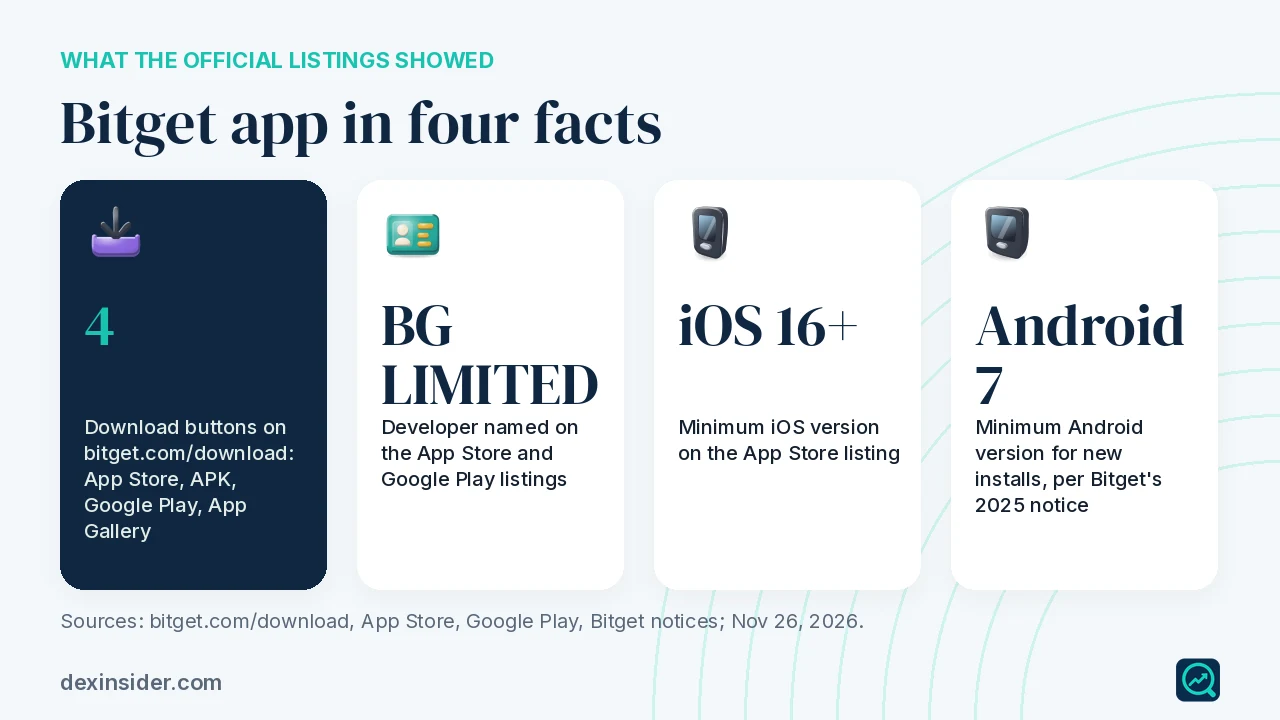
- Bitget’s download page offers four buttons: App Store, Android APK, Google Play and App Gallery.
- Both store listings Bitget links to name the developer BG LIMITED.
- Bitget calls the APK its official route when stores don’t carry the app, not a way around country limits.
- No Windows or macOS download showed there on November 26, 2026.
- Bitget Wallet is a separate app; code 56969 is for the exchange.
How do you download the official Bitget app?
You download the official Bitget app from Bitget’s own download page, which links to the App Store, Google Play, Huawei App Gallery and a direct Android APK (an app file you install outside a store). Start there instead of searching a store, because look-alike apps can sit in search results. The seven steps below follow Bitget’s own guides.
How to download the Bitget app in 7 steps
- Open Bitget’s download page. Type bitget.com/download into your phone’s browser, or scan the page’s QR code from a computer.
- Pick the button for your device. App Store for iPhone or iPad; Google Play, App Gallery or the APK for Android.
- Check the listing before you install. On the App Store or Google Play, the developer should read BG LIMITED, as it did on November 26, 2026.
- Install the app. Tap Get or Install. For the APK, allow installs for your browser, then switch that off after.
- Sign in or sign up. Log in, or tap Sign Up and add the optional referral code.
- Turn on 2FA and a passkey. Open Security in your profile and add Google Authenticator for 2FA (a second login check), then a passkey (a fingerprint, face or PIN login).
- Set an anti-phishing code. Add this personal code, which Bitget shows in its official emails, under Profile, Security, Anti-Phishing Code.
Watch: Bitget Download Guide: How to Get Official App in 2026 Code 56969
What does the official Bitget app listing show?
The official Bitget app listing on both big stores names BG LIMITED as developer. I opened each store from the buttons on Bitget’s download page, not from a store search, so the link chain started at bitget.com. App names differ by store, so check the developer name, not the title alone.
When I checked Bitget’s download page on November 26, 2026, I found four buttons: App Store, Android APK, Google Play and App Gallery. The App Store button opened “Bitget- Trade bitcoin & crypto”, with seller BG LIMITED and a note that it requires iOS 16.0 or later.
| Store | App name shown | Developer shown |
|---|---|---|
| Apple App Store (iPhone, iPad) | Bitget- Trade bitcoin & crypto | BG LIMITED. |
| Google Play (Android) | Bitget – Buy & Sell Crypto | BG LIMITED. |
When I checked the Google Play listing on November 26, 2026, I found 10M+ downloads. Its package name was com.bitget.exchange. An Android app with any other package name isn’t the one Bitget links to. We didn’t check the App Gallery listing’s details, so confirm the developer there yourself before you install.
Store pages also show reviews, and Google Play shows download counts. The FBI notes that fake apps can show high download numbers with few reviews, so the developer name is the stronger check.
How do you install the Bitget APK safely?
You install the Bitget APK safely by getting it only from bitget.com/download, allowing installs for your browser, then switching that off. Bitget’s January 2026 guide calls it the official route when Google Play or AppGallery isn’t available. Use it only if your country is one Bitget serves. A missing store listing can mean it doesn’t (see the country section below).
Bitget’s reason, in its own words, is that “in some regions, crypto trading apps are not available through standard app stores”. You tap the Android button on the download page, open Settings, Apps, Special access, Install unknown apps, and switch on “Allow from this source” for Chrome. Then you open the file from Downloads and tap Install. Bitget says you can delete the APK file afterwards. The risk sits in that permission step. “Install unknown apps” lets the chosen browser install any app file, not only Bitget’s, and Google Play’s review doesn’t cover files installed this way. Bitget’s guide warns that third-party APK sites “may distribute modified or malicious versions of the app”. So switch the permission off once the app is in: go back to Install unknown apps and turn Chrome off. Never install an APK sent by chat or email. Bitget’s phishing guide also tells users to download apps only from Google Play, the App Store or Bitget’s official platform.
Bitget’s guide also lists fixes for common install errors. For example, it says an “App not installed” error can mean low storage or a corrupted earlier version, so clear space and try again. If the icon doesn’t appear, it suggests restarting the phone.
Can you check the file itself? We found no file fingerprint (SHA-256 checksum) or signing certificate published for the exchange APK as of November 26, 2026. Bitget Wallet has its own APK checker, but it covers the wallet app only.
Is there a Bitget desktop app for Windows or macOS?
Bitget’s download page showed no Windows or macOS app on November 26, 2026, only the four mobile buttons. Bitget could add one later. Beyond that page, we found no current Bitget support article that offers a desktop download. On a computer, type bitget.com into your browser and use the website.
Our Bitget affiliate link goes to a partner page on bitgetapp.com, not bitget.com. Before you sign in there, paste that domain into Bitget’s Official Verification Tool, which checks websites, emails and social accounts but not apps. Download the app itself only from bitget.com/download.
Is the Bitget app the same as Bitget Wallet?
No. The Bitget app is the exchange app, where Bitget holds your balance and runs your trades. Bitget Wallet is a separate self-custody app, meaning you hold the keys, with its own download page on web3.bitget.com. Bitget Wallet says only you control its private key and recovery phrase.
Referral code 56969 is for the exchange, not the wallet. If you’re here for code 56969, install the exchange app, not Bitget Wallet.
Our Bitget exchange explainer covers what the exchange app does.
How do you set up the Bitget app after installing it?
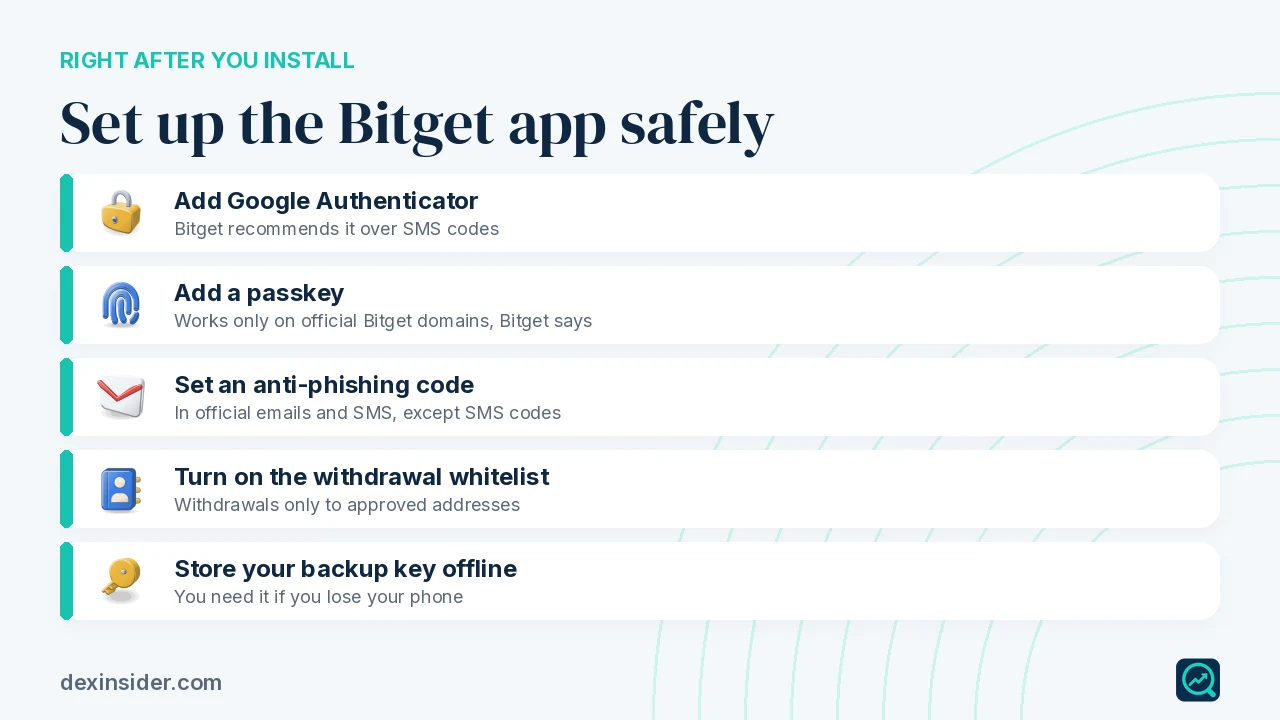
You set up the Bitget app by signing in or creating an account, then adding Google Authenticator, a passkey and an anti-phishing code before any deposit. Bitget’s April 2024 app guide puts Sign Up behind Get Started. It lists the password and the optional referral code in the same step.
Our Bitget sign-up guide covers each screen. The code links your account to a referrer. Bitget’s Referral Program does reward invitees who register with a valid code, log in to the app and reach set trading volumes within 15 days. For example, its January 2025 article gives both sides a $15 BGB airdrop at 500 USDT of volume.
USDT is a stablecoin designed to track the US dollar, and BGB is Bitget’s own token. Our referral code guide lists every tier. Before you deposit, Bitget’s October 2026 guide says you need Level 1 KYC, its identity check, to deposit, trade or withdraw.
2FA is two-factor authentication. A passkey is a login that uses your fingerprint, face or device PIN. Bitget says passkeys only work on official Bitget domains, so they won’t activate on a fake site. It recommends Google Authenticator and passkeys over SMS, which SIM card hijacking can expose.
An anti-phishing code is a personal code Bitget adds to its official emails and SMS, except SMS verification codes. A withdrawal whitelist is a list of approved addresses you can withdraw to. Bitget puts it under Security Settings, Withdrawal Settings.
How do you spot a fake Bitget app?
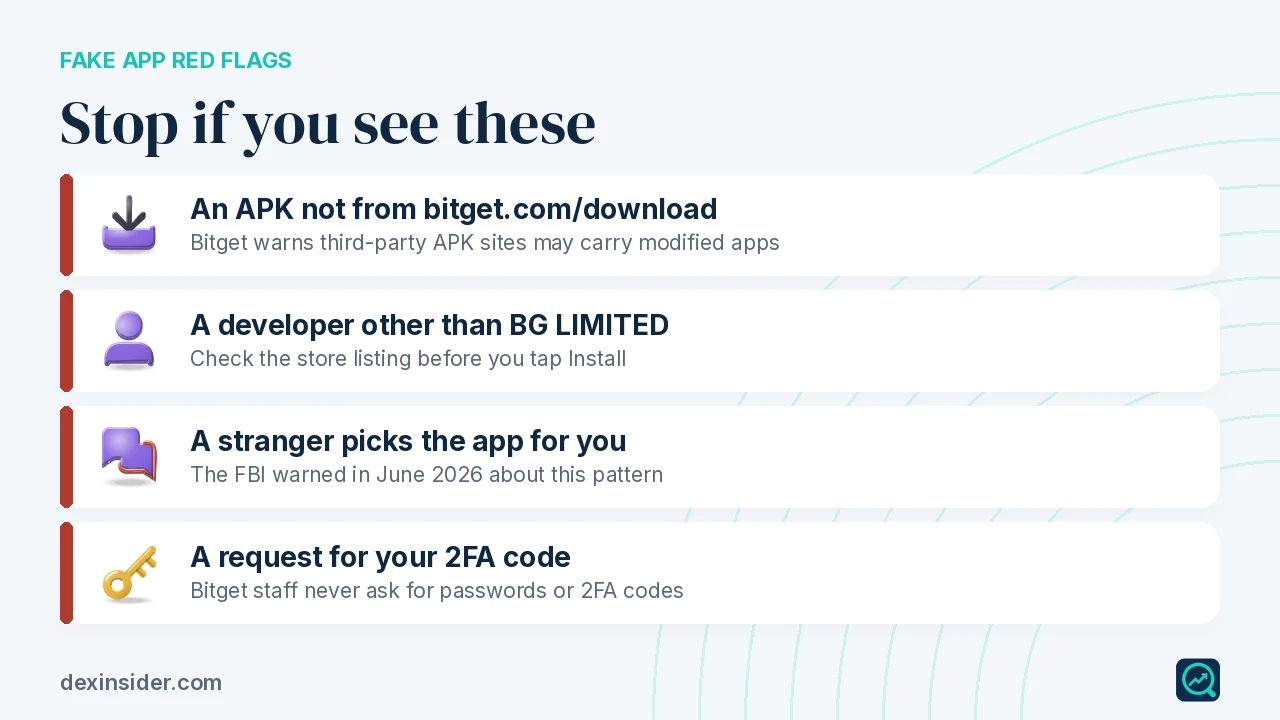
You spot a fake Bitget app by checking where it came from, who published it and who told you to install it. A real Bitget app comes from Bitget’s download page or a store listing by BG LIMITED. Bitget says its staff never ask for passwords, 2FA codes or private keys.
Phishing is a scam that copies a real company’s site, app or messages to steal your login. The FBI’s Internet Crime Complaint Center (IC3) warned in August 2023 that criminals hide fake crypto exchange apps inside mobile beta-testing services, which typically aren’t subject to app store review. Its listed red flags include apps with a high number of downloads but few reviews, and permissions unrelated to the app’s purpose. It also flags spelling errors or vague details in the description. In a June 15, 2026 alert, the FBI said scammers met on social media or by text tell victims to download specific trading apps. Victims then see fake returns and get asked for “taxes” before any withdrawal. That’s why the source of the app matters more than its name. A stranger who picks your app for you is the red flag, even if the name says Bitget. Bitget also says it never sends unsolicited messages asking for personal information or funds. If someone you met online is guiding your downloads, stop and check the domain in Bitget’s tool first.
Bitget app not available in your country
If the Bitget app isn’t in your country’s app store, Bitget may not serve your country. Its Terms of Use, last updated November 4, 2026, list 30 prohibited countries and regions, including the United States, Canada, France and Germany. The Terms also forbid getting around restrictions “by use of any virtual private network”.
Bitget paused new sign-ups in India from February 6, 2026, for users who pick India or use Indian ID. The India notice was still on Bitget’s support site on November 26, 2026. Bitget’s May 2024 notice pausing new UK sign-ups is still on its support site, but its UK page shows “Approved by Archax LTD on 15/10/2024”, a financial-promotions approval, not an FCA licence for Bitget (checked November 26, 2026).
Check the Terms list for your country before you install anything.
This guide isn’t for you if you live in a listed location or won’t share ID.
Bitget app updates and a lost phone
Bitget sets minimum app and system versions, so update from the same place you installed. A September 2, 2026 notice said Bitget would raise the minimum app version on Android and iOS to V2.60.0 from November 18, 2026. Its notices also set iOS 16 and Android 7.0 as minimum systems.
For example, a phone stuck on Android 6.0 keeps its current app but can’t install newer versions, Bitget’s November 2025 notice says. If you use the APK, update by downloading the new file from bitget.com/download, never from a link in a message. If the app forces an update, update it from the same store or bitget.com/download.
If you lose your phone, Bitget’s April 2025 article points to Account recovery under Self-service in Customer Support. You may need a live video check if you lost two or more methods, and withdrawals pause for 24 hours after recovery. Bitget also advises keeping your Google Authenticator backup key offline.
Read our risk disclaimer first. Sofia Marques fact-checks each number (see our editorial policy, about us and contact pages). Our sign-up bonus guide explains the new-user offer the app shows.
Watch: Bitget Exchange APK Download: Safe Official Guide 2026 Code 56969
FAQ
Where do I download the official Bitget app?
From bitget.com/download. On November 26, 2026, it linked to the App Store, Google Play, App Gallery and an Android APK.
Who is the developer of the Bitget app?
The App Store and Google Play listings that Bitget’s download page linked to named BG LIMITED on November 26, 2026.
Is the Bitget APK safe to install?
Only the file from bitget.com/download. Bitget’s January 2026 guide warns that third-party APK sites may carry modified or malicious versions.
Does Bitget have a desktop app?
We saw no Windows or macOS download on Bitget’s download page on November 26, 2026. Use the bitget.com website on a computer.
Is the Bitget app the same as Bitget Wallet?
No. Bitget Wallet is a separate self-custody app from web3.bitget.com. Referral code 56969 is for the Bitget exchange app.
Where do I enter a referral code in the Bitget app?
On the Sign Up form, in the same step as your password. Bitget’s April 2024 app guide calls the field optional.
Why can’t I find the Bitget app in my store?
Bitget doesn’t serve some regions. Its Terms, last updated November 4, 2026, list 30 prohibited countries and regions and ban using a VPN to get around restrictions.
What should I do if I lose my phone?
Use Account recovery under Self-service in Bitget Customer Support. Bitget’s April 2025 article says withdrawals pause for 24 hours after recovery.

Elliot Varga, Founder & Lead Writer
Elliot Varga spent eight years in derivatives operations at a European broker, handling margin calls and liquidations. He has held crypto since 2018 and used Bitget since 2023. He writes plain-English Bitget guides and reads the fine print first.

Fact-checked by Sofia Marques, Research & Fact-Check Editor. Every number is checked against Bitget’s own pages. Our editorial policy